.png)
How do I change registration track/type, if I have already registered?
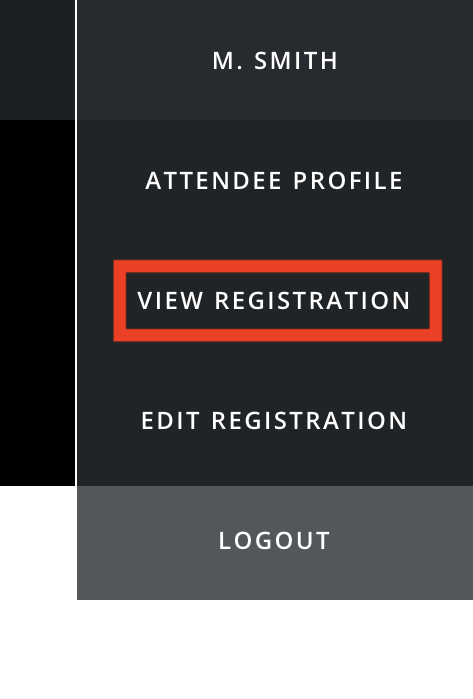
Registration forms can be very different from type to type, with very different questions asked. Depending on how your event administrator has configured your event, you may be able to select to change your registration track/type after registration, and this can easily be found by going to your 'View Registration' area.
When the page has loaded, look to the left hand side - if your event administrator has configured your event to allow track changes, you will see the option 'Change Track' displayed here.
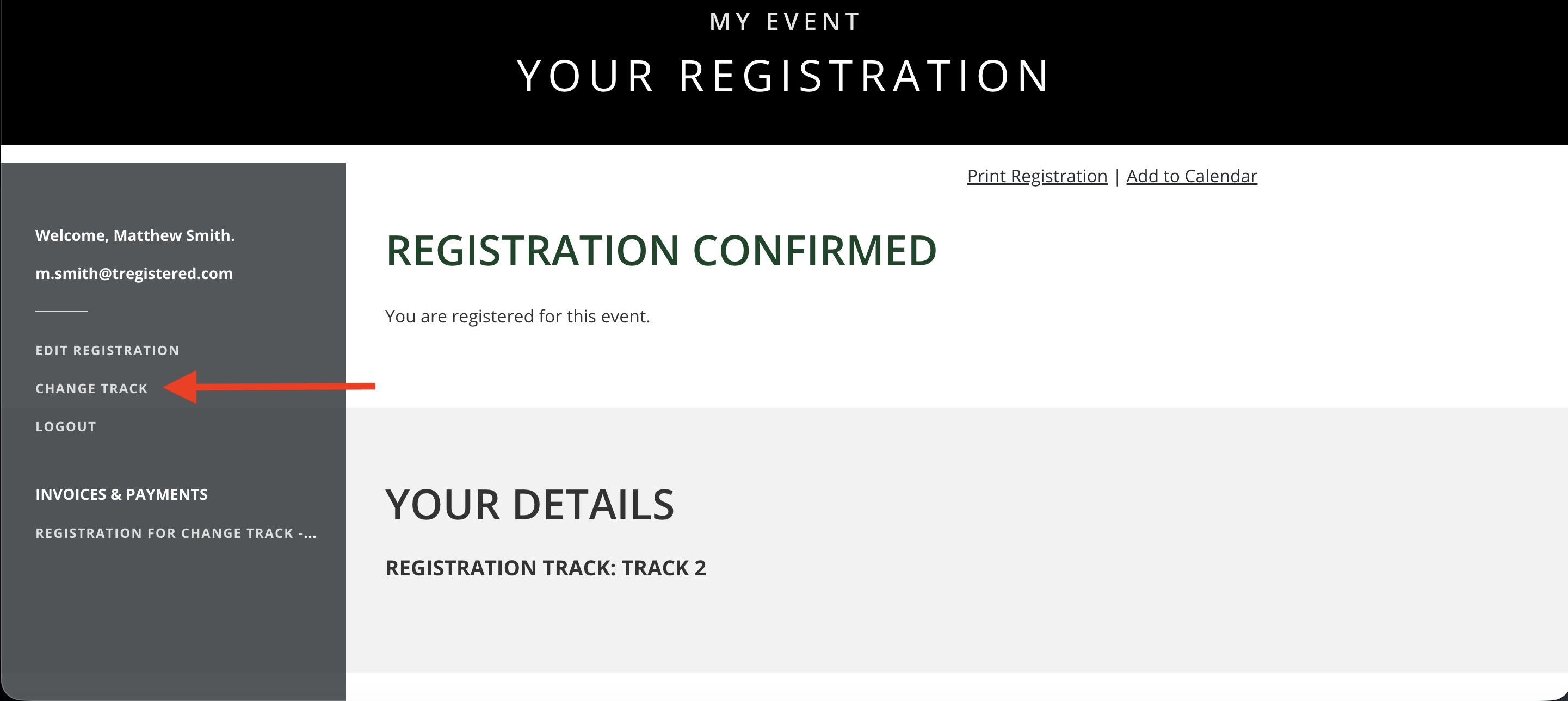
If there is no 'Change Track' option displayed, please contact your event administrator immediately. Your event administrator can make this change for you, but please be aware that there may be additional information and payments required to reconfirm your registration with your event.
If you do see the 'Change Track' option displayed and wish to proceed, simply click on this and you will be taken to the 'Track Selection' page, which should look something like the image below.
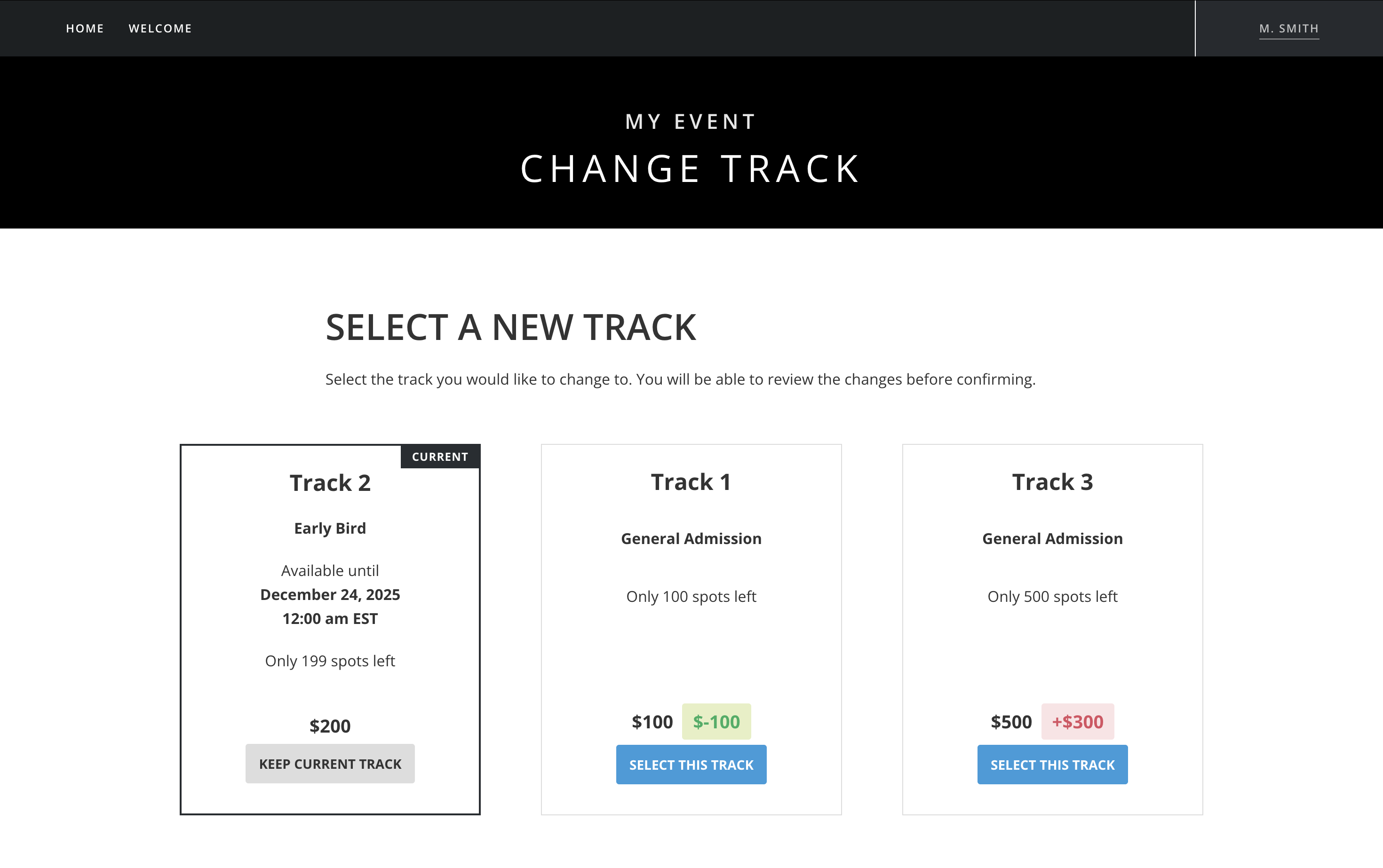
The available tracks here will depend on track availability, if a track has sold out then it will not be available to be selected. The track displayed to the left is your current track - this is handy to know while you're making your decision! On the available tracks, you will see a monetary value displayed in either red or green - if it is a green value, then there will be no additional payments required and you will be credited the difference shown, if it is red then you will be required to make an additional payment.
Once you select a new track, you will see a new page similar to the image below:
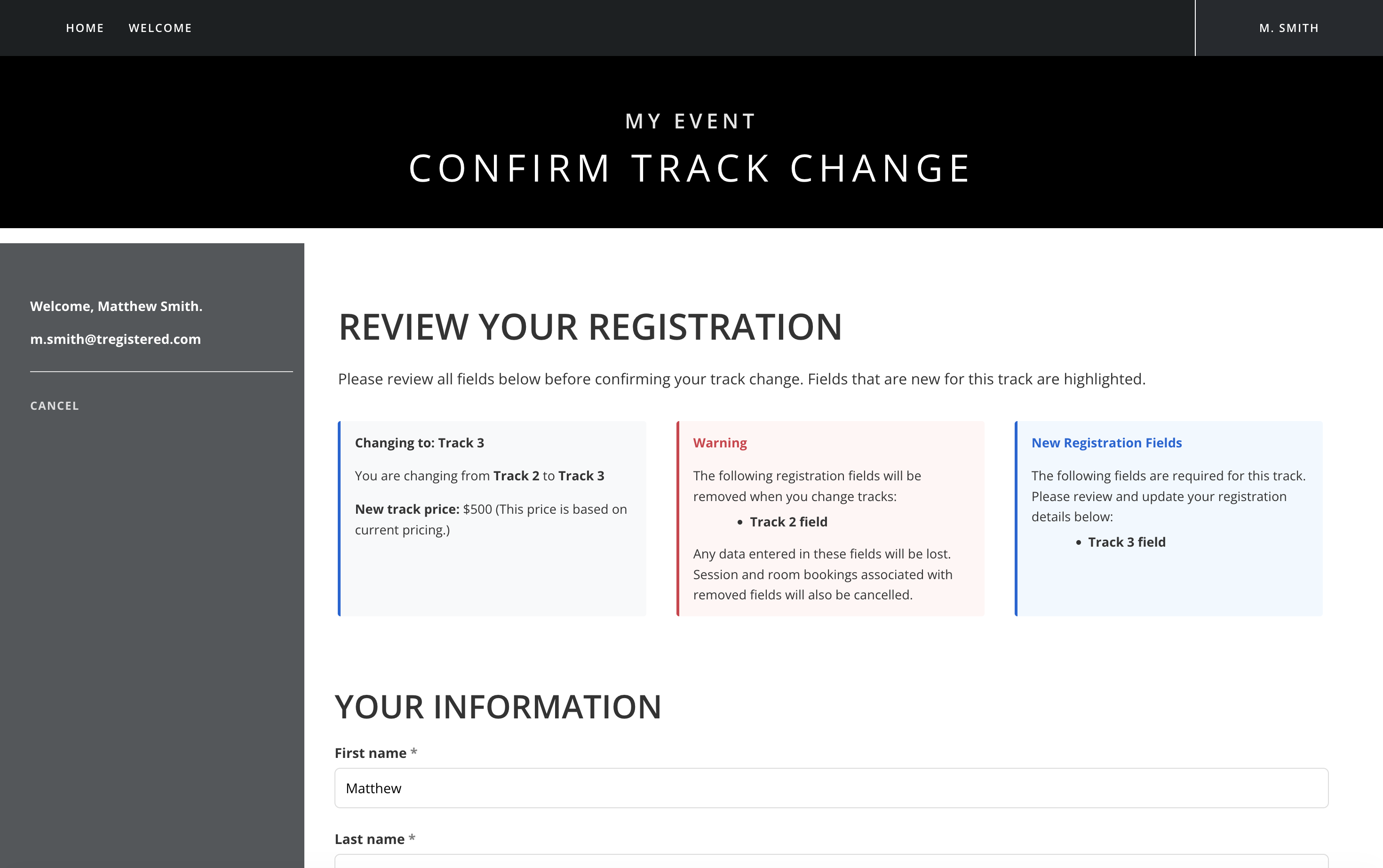
This page will let you know if there are any new fields that are required to be completed before you confirm your track change, and any information from your previous registration that will be removed when you switch. You will see any further required fields by scrolling further down the page, highlighted in yellow:
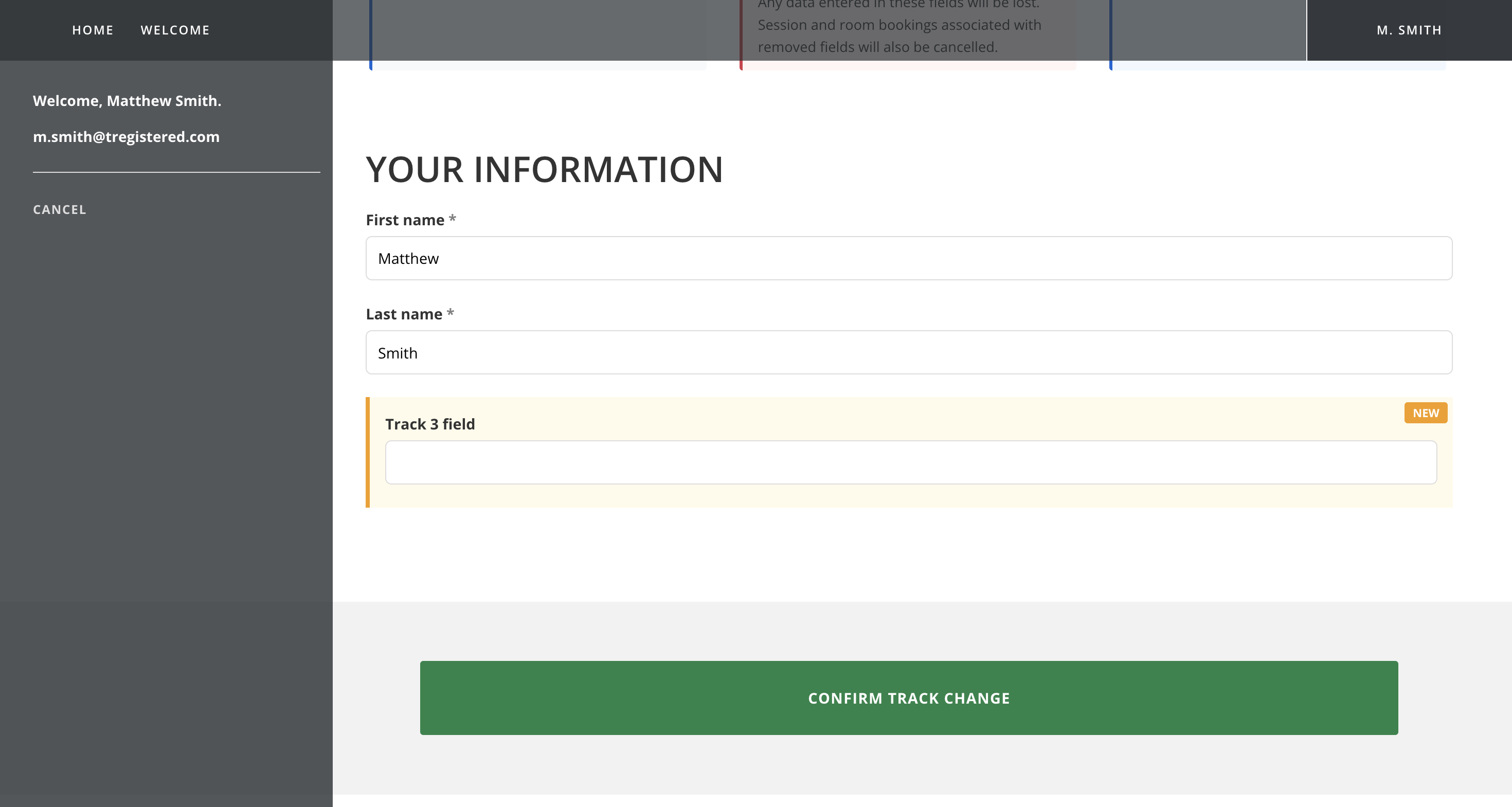
When you're ready to proceed, just click the 'Confirm Track Change' button - if there are further payments to be collected, you will be redirected to the Payments page to clear your outstanding balance. Once any outstanding balance is cleared (or there is no outstanding balance to pay), you will be returned back to your View Registration area, and you should see a message confirming your track change was successful.